How to Create a Professional Business Email with Your Own Domain
Want a professional business email like info@yourcompany.com? Learn how to create email accounts using your own domain, configure DNS records, and manage business emails easily.
Zonetic Hosting Team
Blogger & SEO Expert
In this article
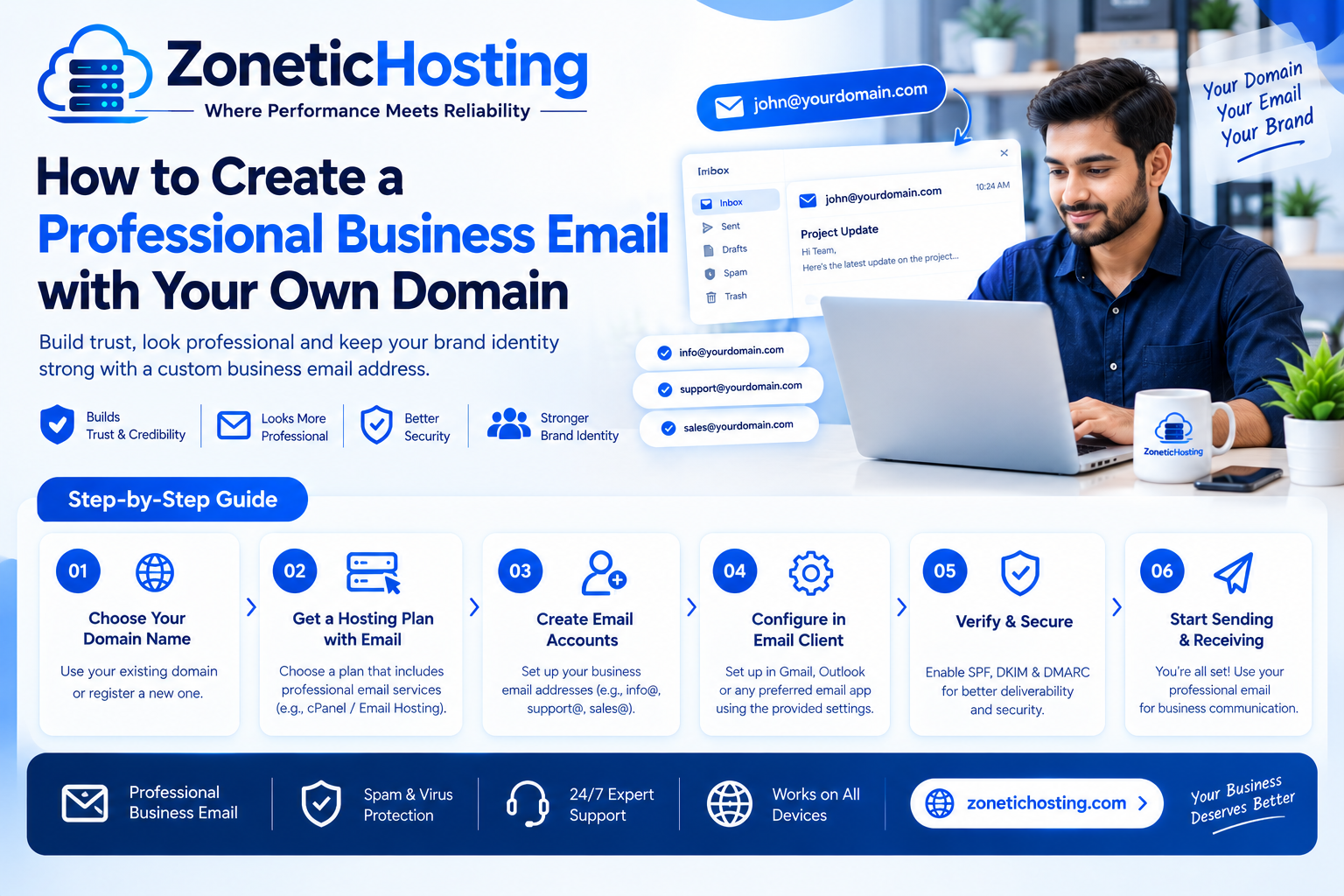
A professional email address is an important part of building a trustworthy business identity. Instead of using a generic email address such as yourbusiness@gmail.com, you can create a branded email address like info@yourcompany.com or support@yourcompany.com.
A business email with your own domain makes your company look more professional, helps customers recognize your brand, and gives you greater control over your business communication.
The good news is that you do not need advanced technical knowledge to create a professional business email. With a registered domain name and a suitable email hosting service, you can set up custom email accounts in a few simple steps.
In this guide, we will explain how business email works, what you need before getting started, how to create email accounts, configure DNS records, and access your emails from different devices.
What Is a Professional Business Email?
A professional business email is an email address that uses your company's own domain name instead of a free email provider's domain.
For example:
- info@yourcompany.com
- sales@yourcompany.com
- support@yourcompany.com
- billing@yourcompany.com
- admin@yourcompany.com
- contact@yourcompany.com
If your company owns the domain yourcompany.com, you can create custom email addresses using that domain through a compatible email hosting service.
These email addresses can be used for customer enquiries, sales communication, invoices, support requests, business partnerships, and internal communication.
Why Should Your Business Use a Custom Domain Email?
Using your own domain for business communication offers several advantages.
1. Build a Professional Brand Identity
A branded email address looks more professional when communicating with customers, suppliers, and business partners.
For example, an email from sales@yourcompany.com clearly identifies your business, whereas a generic email address may not communicate the same level of brand identity.
2. Build Customer Trust
Customers often look for signs that a business is legitimate before sharing information or making a purchase.
A custom domain email can help create a consistent business identity across your website, invoices, and customer communications.
3. Create Multiple Email Accounts
You can create different email addresses for different departments and business activities.
- Sales: sales@yourcompany.com
- Support: support@yourcompany.com
- Billing: billing@yourcompany.com
- General enquiries: info@yourcompany.com
- Management: admin@yourcompany.com
This makes it easier to organize incoming messages and manage customer communication.
4. Maintain Control Over Your Business Email
When you use a suitable email hosting service connected to your domain, you can manage email accounts, passwords, mailboxes, and access through your hosting or email administration panel.
What Do You Need to Create a Business Email?
Before creating your professional email address, make sure you have the following:
- A registered domain name: For example, yourcompany.com.
- Email hosting: A hosting service that supports custom domain email accounts.
- DNS access: You may need access to your domain's DNS management settings.
- Email management panel: A control panel to create and manage email accounts.
If your existing web hosting package includes email hosting, you may be able to create business email accounts without purchasing a separate email service.
How to Create a Professional Business Email with Your Own Domain
Follow these steps to create your custom business email address.
Step 1: Register a Domain Name
The first step is to register a domain name for your business.
Choose a domain that matches your company name or brand. A short, easy-to-remember domain is generally a good choice.
For example:
- yourcompany.com
- yourbrand.in
- yourbusiness.co.in
If you already own a domain, you can use it instead of registering another one.
Step 2: Choose a Hosting Plan with Email Support
Next, choose a web hosting or email hosting plan that supports custom domain email accounts.
Before purchasing, check:
- Number of email accounts included
- Mailbox storage limits
- Maximum attachment size
- Webmail availability
- SMTP, IMAP, and POP3 support
- Spam filtering
- Email sending limits
- Email backup and security options
If you already have hosting, check whether email account creation is included in your existing plan.
Step 3: Access Your Hosting Control Panel
After purchasing a compatible hosting package, log in to your hosting control panel.
Depending on your hosting provider, you may use cPanel, CyberPanel, or another control panel.
Look for the Email Accounts or Email Management section.
This section allows you to create and manage email addresses associated with your domain.
Step 4: Create Your Business Email Account
Select the option to create a new email account.
Enter the email username you want to use.
For example:
- info
- sales
- support
- billing
Choose your domain name, create a strong password, and set the mailbox storage quota if your control panel provides this option.
Once you save the settings, your new email account should be created.
Step 5: Configure Your DNS Records
DNS records help other email servers identify where your domain's email service is hosted.
For email delivery, your domain generally needs correctly configured MX records.
Depending on your email hosting provider, you may also need additional records.
| DNS Record | Purpose |
|---|---|
| MX | Directs incoming email to the correct mail server. |
| SPF (TXT) | Identifies servers authorized to send emails for your domain. |
| DKIM (TXT or CNAME) | Allows receiving servers to verify an email's cryptographic signature. |
| DMARC (TXT) | Defines how receiving servers should handle emails that fail authentication checks. |
Use the exact DNS values supplied by your email hosting provider. Do not copy MX, SPF, or DKIM records from another hosting provider because the values can differ.
DNS changes may take time to propagate across different networks.
Step 6: Access Your Email Through Webmail
Once your email account is created, you can access it through your hosting provider's webmail service if one is available.
Many hosting environments provide a webmail interface that allows you to:
- Send and receive emails
- Read incoming messages
- Organize folders
- Manage contacts
- Configure email signatures
Use the webmail address and login details provided by your hosting company.
Step 7: Configure Your Email on Mobile and Desktop
You can also configure your custom business email in supported email applications such as Outlook, Apple Mail, or other IMAP-compatible clients.
Common email protocols include:
- IMAP: Synchronizes email messages across multiple devices.
- POP3: Downloads email messages to an email client.
- SMTP: Handles outgoing email delivery.
Your hosting provider should supply the correct incoming and outgoing mail server details, ports, and encryption settings.
Use the recommended secure connection settings provided by your email host.
What Is the Difference Between IMAP, POP3, and SMTP?
Understanding these email protocols can help you configure your business email correctly.
| Protocol | Purpose | Typical Use |
|---|---|---|
| IMAP | Synchronizes email | Accessing the same mailbox on multiple devices |
| POP3 | Downloads email | Local email storage and access |
| SMTP | Sends email | Outgoing email delivery |
For most businesses using multiple devices, IMAP is a convenient option because it keeps mailbox messages synchronized.
Business Email Best Practices
Creating a business email account is only the first step. Follow these practices to maintain professional and secure communication.
Use Professional Email Addresses
Choose simple and recognizable addresses such as info@yourcompany.com, sales@yourcompany.com, and support@yourcompany.com.
Use Strong Passwords
Use unique passwords for every mailbox. Enable multi-factor authentication where supported.
Configure SPF, DKIM, and DMARC
Email authentication helps receiving servers verify that messages are authorized and properly signed. Configure these records using your email provider's instructions.
Avoid Sending Unsolicited Bulk Emails
Sending large quantities of unwanted messages can damage your domain's sending reputation. Follow applicable email marketing and anti-spam requirements.
Keep Your Email Software Updated
Use updated email applications and secure connection settings to protect your communication.
Create a Professional Email Signature
Your signature can include:
- Your full name
- Job title
- Company name
- Website URL
- Business contact information
Common Business Email Problems and Their Solutions
Emails Are Not Being Received
Check your MX records, domain DNS configuration, mailbox status, and available mailbox storage. Incorrect MX records can prevent incoming emails from reaching your mail server.
Emails Are Going to Spam
Check your SPF, DKIM, and DMARC configuration. Also review your sending practices, domain reputation, and email content.
Unable to Send Emails
Verify your SMTP hostname, port, authentication details, and SSL or TLS settings. Check whether your hosting provider has any outgoing email restrictions.
Unable to Log in to Webmail
Confirm that you are using the correct full email address and password. If necessary, reset the mailbox password from your hosting control panel.
How Much Does a Professional Business Email Cost?
The cost of a professional business email depends on your email hosting provider, mailbox storage, number of accounts, and available features.
There are generally two options:
Business Email Included with Web Hosting
Some shared web hosting packages include email account creation as part of the hosting service. This can be an economical option for small businesses that also need website hosting.
Dedicated Email Hosting
Dedicated email hosting is useful for businesses that need more specialized email management, larger mailboxes, collaboration tools, or independently managed email infrastructure.
Before selecting a service, compare mailbox limits, sending restrictions, spam protection, support, and renewal prices.
Create Your Professional Business Email with ZoneticHosting
If you are looking for affordable web hosting that also supports custom domain email accounts, ZoneticHosting offers shared hosting plans designed for individuals, freelancers, startups, and small businesses.
The ZoneticHosting Starter plan includes:
- 10 GB SSD storage
- One website
- Five email accounts
- Five MySQL databases
- Two FTP accounts
- Free SSL certificate
- Unmetered bandwidth
- CyberPanel control panel
- Weekly backups
The Starter plan is advertised at ₹59 per month plus GST on a 36-month billing cycle. Its total price is ₹2,129 before GST.
With a compatible hosting and email configuration, you can create professional addresses such as info@yourcompany.com and support@yourcompany.com using your own domain.
Whether you are launching a new business or upgrading your existing online presence, a professional domain-based email address can help maintain a consistent brand identity.
Ready to create your business email?
Explore ZoneticHosting Web Hosting Plans
Frequently Asked Questions (FAQs)
1. How can I create a business email with my own domain?
Register a domain name, purchase a compatible email hosting or web hosting plan, create an email account through your hosting control panel, and configure the required DNS records.
2. Can I create a business email without Gmail?
Yes. You can use your own domain with an email hosting provider and access your mailbox through webmail or compatible email applications.
3. What is an example of a professional business email?
Examples include info@yourcompany.com, sales@yourcompany.com, support@yourcompany.com, and billing@yourcompany.com.
4. Do I need a domain name for a business email?
Yes. A custom domain email address uses a registered domain name, which you control and connect to an email hosting service.
5. Can I create multiple business email accounts?
Yes. The number of accounts you can create depends on the limits and policies of your email hosting plan.
6. What are MX records in email hosting?
MX records are DNS records that identify the mail servers responsible for receiving email messages for a domain.
7. What is the difference between SPF, DKIM, and DMARC?
SPF identifies authorized sending servers, DKIM verifies cryptographic email signatures, and DMARC provides policies and reporting for email authentication failures.
8. Can I use my business email on my mobile phone?
Yes. You can configure your custom domain email in supported mobile email applications using the IMAP and SMTP settings provided by your email hosting service.
9. Is business email included with web hosting?
Some web hosting packages include custom domain email accounts. Check the number of mailboxes, storage limits, and sending restrictions before purchasing.
10. Does ZoneticHosting offer business email accounts?
ZoneticHosting shared hosting plans include email account support. The Starter plan includes five email accounts, allowing eligible customers to create custom domain email addresses.
Final Thoughts
A professional business email address is a simple but important step towards building a consistent online identity for your company.
With your own domain and a suitable email hosting service, you can create branded email accounts, organize customer communication, and access your business messages from different devices.
Choose a reliable hosting provider, configure your DNS and email authentication records correctly, and maintain good email security practices.
Start building a more professional business presence with your own domain email today.

Have a question about hosting?
Our team can help you pick the right plan for your website.